Open it for your messages. Not for the feed.
RouteGuard sends Instagram straight to your inbox and puts the feed, Explore and Reels behind a wait that grows each time you go through. Nothing leaves your browser.
Free · Desktop Chrome 111+
Reading this on your phone? RouteGuard is a desktop Chrome extension — open this page on your computer to install it.
How it works
- 01
Open Instagram, land in your messages
Typing instagram.com, or following a link to the feed, Explore, Reels, a post or a profile, redirects to your inbox before the page renders. Nothing flashes on screen first.
- 02
Reaching the feed costs a question and a wait
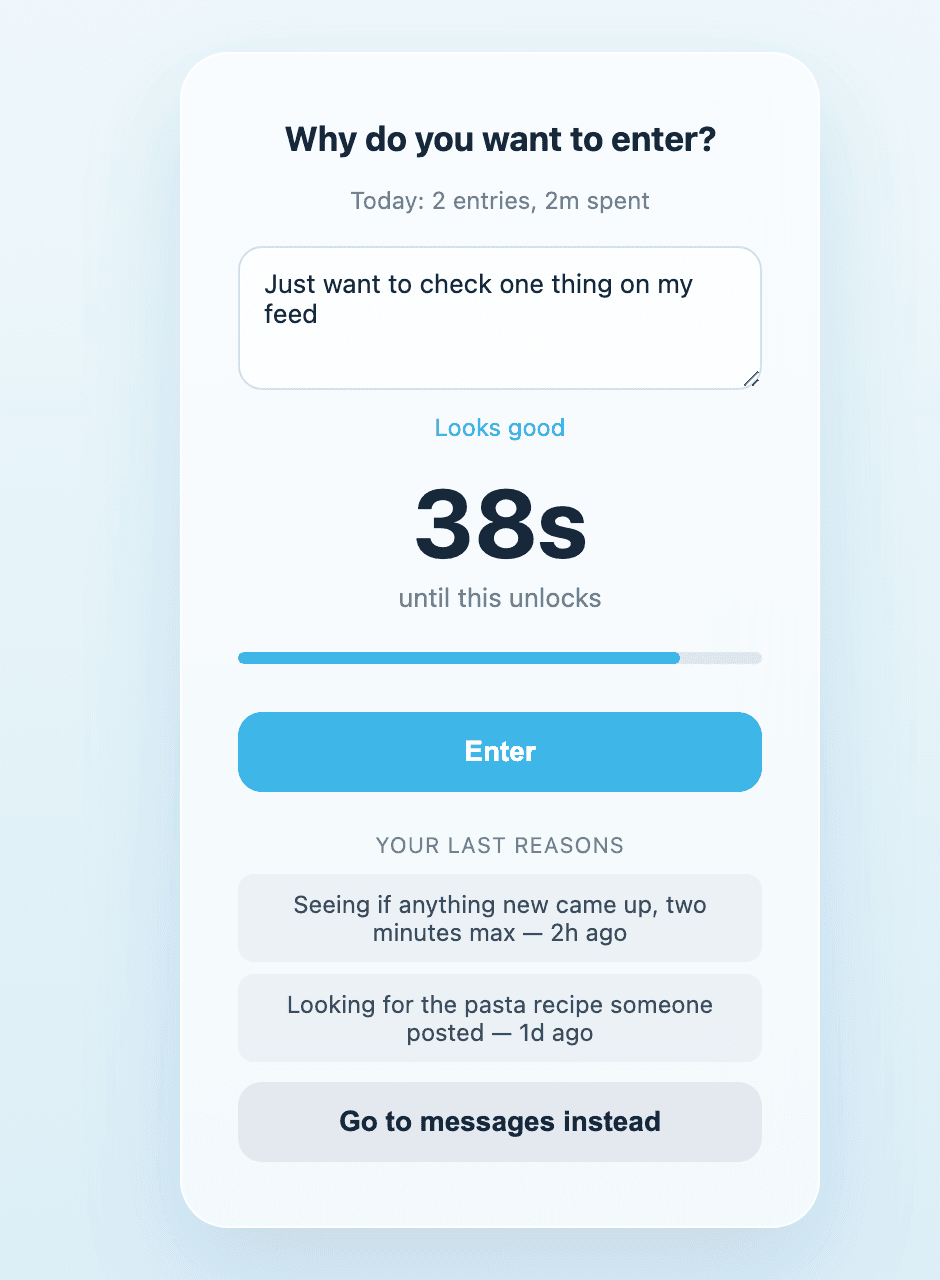
Tap into a blocked page from inside the site and a screen asks why you want to enter, with a countdown running at the same time. You get in once the timer is done and you've typed a real answer — whichever finishes second.
- 03
Each trip makes the next one longer
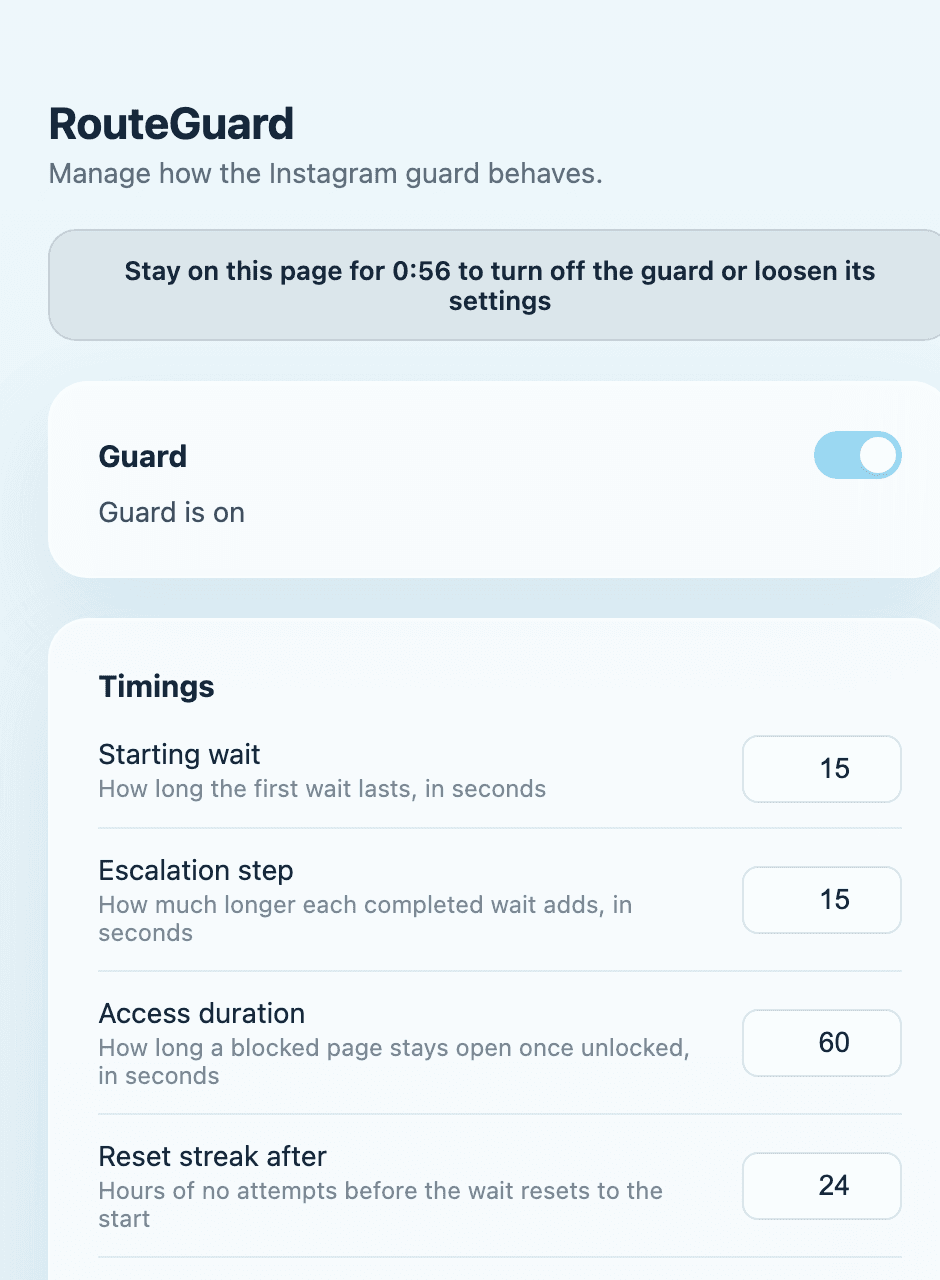
The first wait is 15 seconds, and every completed wait adds 15 more. Access lasts a minute, then the gate comes back on its own. Leave it alone for a day and the next wait starts over at 15.
No quick off switch
The toolbar popup only shows status — there's nothing to flip. Every control lives on the settings page, and anything that weakens the guard stays disabled until that tab has been on screen for a full minute. Switching tabs pauses the clock, and reopening the page resets it.
Making the guard stricter applies instantly. You can always change your mind — you just can't do it in the same moment the guard exists to interrupt.
- Turn the guard offafter a minute
- Shorten a waitafter a minute
- Allow another pageafter a minute
- Lengthen a waitinstantly
- Block another pageinstantly
What it doesn't do
It doesn't read anything you write or see
The extension looks at the path of the page you're on — /explore/, /direct/ — and nothing else. Not your messages, not page content, not your account.
It doesn't phone home
No server, no analytics, no telemetry, no third-party code, and no network requests of its own. Your settings and reasons sit in your browser's local storage until you uninstall.
It isn't a wall
Messages, login, account settings and security checks always load normally. You keep the part of Instagram you actually needed.
RouteGuard acts only on www.instagram.com and instagram.com. Other Instagram subdomains — the Help Center, the link shim behind links people send you — are deliberately left alone.
Why it exists
Most blockers fail the same way. Sooner or later you need the app for something real — someone sent you a message — so you switch the blocker off “just for a second,” and it never goes back on.
RouteGuard doesn't ask you to give up the part you needed. The inbox stays one click away, always. It just makes the other part cost a little more each time — a question you have to answer, a wait you have to sit through, and your own last three reasons looking back at you while you do.
Keep the messages. Skip the feed.
Install it once, set your own timings, and stop losing twenty minutes to a reply you meant to send.